April Fool's Day comes and goes, bringing its usual pranks and false alerts that make you question everything for a day.
But scammers never take a break.
Spring marks a peak for cyber attackers—not due to carelessness, but because everyone is busy, distracted, and rushing to meet deadlines. That's when subtle threats slip in unnoticed, blending into a hectic workday until it's too late to react.
Here are three cunning scams targeting not the naive, but attentive employees just trying to navigate their day smoothly.
As you review these, consider one key question: Would every member of my team stop to recognize each threat?
Scam #1: The Fake Toll or Parking Fee Alert
An employee receives a text stating:
"You have an outstanding toll fee of $6.99. Pay within 12 hours to avoid penalties."
The message mimics real toll systems like E-ZPass, SunPass, or FasTrak relevant to the recipient's location. The small charge avoids raising suspicion. Busy between meetings, the employee clicks, pays, and moves on.
But the payment link is fraudulent.
In 2024 alone, the FBI logged over 60,000 complaints about fake toll texts; complaints surged 900% in 2025. More than 60,000 counterfeit domains impersonate state toll systems, demonstrating how lucrative this scam has become. Some messages even reach people in states without toll roads.
Why is this effective? A minor $6 fee seems harmless, and since most have recently dealt with parking or tolls, the alert seems legitimate.
The defense: Authentic toll agencies never demand immediate payment through text messages. Best practice is a strict policy: No payments via text links. Employees should independently visit official websites or apps to verify charges and never reply to suspicious texts—not even to "STOP"—as any response confirms the number is active and invites more scams.
Beware of convenience; trust your process.
Scam #2: 'Your File is Ready' Phishing
This scam seamlessly fits into daily workflows.
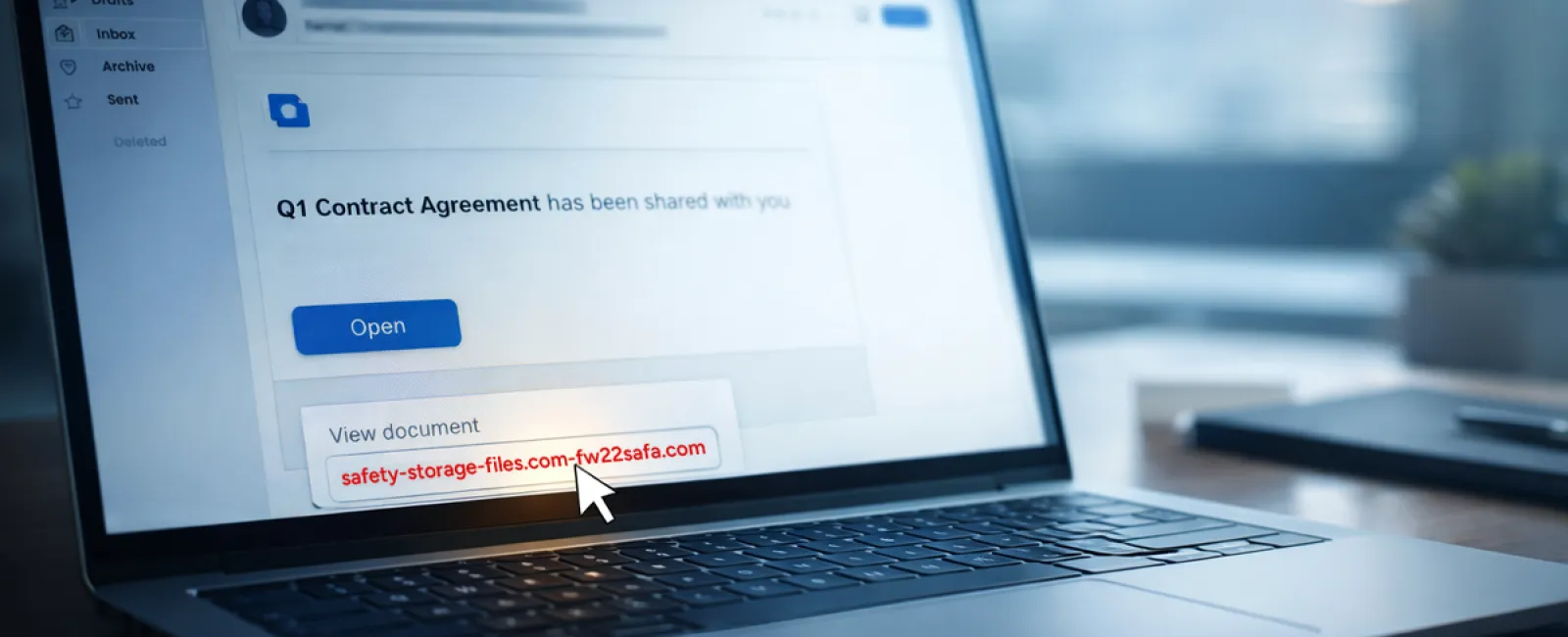
An employee receives an email claiming that a document—such as a contract via DocuSign, a spreadsheet on OneDrive, or a file on Google Drive—has been shared.
The sender appears genuine, and the notification matches familiar file-share alerts.
Upon clicking, the employee is directed to log in and unwittingly enters credentials that attackers capture, gaining access to the company's cloud systems.
This attack vector has drastically grown. KnowBe4's Threat Labs report a 67% increase in phishing using trusted platforms like Google Drive, DocuSign, Microsoft, and Salesforce in 2025, with Google Slides phishing up over 200% over six months.
Employees are seven times likelier to click a malicious link in OneDrive or SharePoint notifications compared to random emails, due to their credible appearance.
More dangerously, hackers compromise legitimate accounts and use built-in sharing features to send authentic-looking alerts from official servers, bypassing spam filters.
Protective measure: If a file share alert is unexpected, employees should avoid email links and instead log into the platform directly to confirm the file's existence. Companies can also reduce risk by limiting external sharing permissions and enabling alerts for unusual login activity—settings your IT team can configure in minutes.
Consistent caution delivers strong protection.
Scam #3: Polished Phishing Emails
Gone are the days of clumsy phishing emails riddled with errors.
A 2025 study found that AI-crafted phishing emails achieved a 54% click rate, over four times higher than traditional attempts at 12%. These emails appear genuine, adopting real company details, roles, and workflows scraped swiftly from public sources like LinkedIn.
Targeted emails reach specific departments: HR and payroll encounter fake employee verification requests, finance teams get vendor payment change notices. One test revealed 72% employee engagement with vendor impersonation emails, 90% higher than other phishing forms. These messages are professional and urgent without seeming suspicious—just another ordinary inbox day.
How to defend: Verify any requests involving credentials, payment updates, or sensitive info through a separate channel—call, chat, or in-person. Always hover over sender email addresses to verify domains and treat urgency as a red flag rather than a prompt.
Effective security builds trust, not fear.
The Core Challenge
These scams thrive on familiarity, authority, timing, and the assumption that "this will only take a moment."
The real vulnerability isn't careless employees, but systems that expect everyone to always slow down, double-check, and make flawless decisions under pressure.
If one rushed click can disrupt your business, that's a process issue—not a people issue.
And process issues can be solved.
How We Support You
Business owners don't want adding security to become another overwhelming project or responsibility.
They want assurance that their company is protected silently and effectively.
If you're concerned about potential threats facing your team—or know someone who might be—let's have an open discussion.
Book a clear, straightforward discovery call covering:
• The current risks businesses like yours commonly encounter
• Where vulnerabilities typically arise during everyday work
• Practical, non-disruptive strategies to lower exposure
No high pressure. No fear tactics. Just an opportunity to surface concerns and explore solutions.
Click here or give us a call at 973-439-0306 to schedule your free 15-Minute Discovery Call.
If this isn't for you, please forward it to someone who'd benefit from the heads-up. Sometimes awareness alone stops a "would-have-clicked" from becoming a breach.